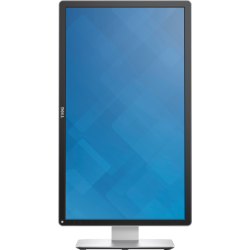
Brands: MSI
Model: Optix G24C6
- Resolution: FHD (1920 x 1080)
- Display: VA, 144Hz, 1ms
- Ports: HDMI, DP, 3.5mm Audio Out
- Features: Free Sync
26,900৳
Ex Tax:26,900৳
Brands: MSI
Model: Optix G243
- Resolution: FHD (1920 x 1080)
- Display: VA, 165Hz, 1ms
- Ports: HDMI, Audio Port, DP
- Features: Free Sync, Flicker Free, Low Blue Light
27,900৳
Ex Tax:27,900৳
Brands: MSI
Model: Optix G24C6P
- Resolution: FHD (1920 x 1080)
- Display: VA, 144Hz, 1ms
- Ports: HDMI, DP, Audio Out
- Features: Free Sync
28,900৳
Ex Tax:28,900৳
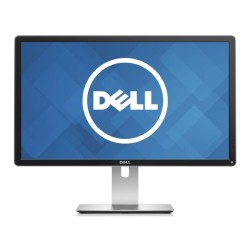
Brands: Dell
Model: Dell S2716DG
- Resolution: 2560x1440
- Display Size: 27 Inches
- Color: White
- Monitor Type : QHD Wide Gaming Monitor
38,000৳ 40,000৳
Ex Tax:38,000৳
Brands: MSI
Model: G274QPF
- Features: Low Blue Light, Flicker-Free, Adaptive Sync
- Ports: 2x HDMI, 1x DisplayPort, 1x Type-C
- Resolution: WQHD(2560 x 1440)
- Display: IPS, 170Hz, 1ms MPRT
39,900৳
Ex Tax:39,900৳
Brands: Dell
Model: Dell 4K S2817Q
- Screen Size: 28 Inches
- Special Feature: USB Hub, Wide screen
- Refresh Rate: 60 Hz
- Connectivity Technology: HDMI
40,000৳
Ex Tax:40,000৳
Brands: MSI
Model: G32CQ5P
- Features: Low Blue Light, Flicker-Free, Adaptive-Sync, 1500R Curvature
- Ports: 2x HDMI, 1x DisplayPort, 1x Earphone out
- Display: VA, 170Hz, 1ms MPRT
- Resolution: WQHD(2560 x 1440)
43,900৳
Ex Tax:43,900৳
What is a monitor?
A computer monitor is an output display device that is usually made using Tn Film Transistor Liquid Crystal Display (TFT-LCD) technology. Currently, LED backlighting technology has become more advanced. Although the function of the monitor was initially only to display data processing output, it has also been used as a medium for entertainment since the 1980s.Different types of monitors in Bangladesh
There are various types of monitors available in the Bangladesh market. Generally, the following categories of monitors are in high demand:LCD and LED monitors
LCD (Liquid Crystal Display) monitors offer high resolution and improved color quality. However, their refresh rates can be relatively low. LED (Light Emitting Diode) monitors are superior to LCD monitors because they use backlighting technology, which ensures better color quality and faster response times. As a result, they are quite effective for gaming or video editing.Gaming monitor
Gaming monitors are usually known for their high refresh rates and low response times. A good gaming monitor offers a refresh rate of 144Hz or higher and a response time of 1ms or less.Curved monitor
Curved monitors are one of the most advanced technologies of today. They are especially popular among gamers, video editors, content creators, and programmers.Touch screen monitor
These monitors allow users to interact with the computer by touching the screen directly. This is ideal for education, design, and interactive presentations.Ultra-wide monitor
With a wide display with high resolution, ultra-wide monitors are perfect for multi-tasking and professional graphic design or video editing.Things to consider before buying a monitor
There are some important things to consider when choosing the right monitor for your work style:1. Monitor size
- 22 inches or less: Suitable for general use.
- 23-24 inches: Good for office and personal work.
- 25-29 inches: This size monitor is good if you prefer 4K resolution.
- 30 inches or more: Useful for multitasking and gaming.
2. Refresh rate
- 60Hz is sufficient for general use .
- Gaming requires a refresh rate of 144Hz or higher .
- Some high-end gaming monitors support refresh rates up to 360Hz .
3. Response time
- A response time of 1ms or less is ideal for gamers .
- A response time of up to 5ms is fine for general users .
4. Connectors and ports
- HDMI : Required for general use.
- DisplayPort : Good for gaming and high-end graphics use.
- USB Type-C : Used in new technology monitors and can be easily connected to smartphones and laptops.